.png)
Transaction Violation Exceptions
Overview
Allowed Transaction Violations help merchants identify and manage payments that fall outside their configured transaction permissions without immediately blocking those payments.
Instead of rejecting certain payments at creation time, merchants can choose to treat unexpected or unapproved transaction types as a transaction violation event, allowing the payment to be created but flagged for review.
This provides greater operational flexibility while still maintaining control and visibility over transaction risk.
This feature allows users to:
Avoid unnecessary payment failures
Handle edge cases without reconfiguring merchant settings
Maintain strong auditability and review controls
Align allowed transaction handling with existing risk review workflows
Merchant Configuration
Where to Configure
Merchants can configure this feature under:
Merchants → Payment Tab → Allowed Transactions
This area includes controls for:
Allowed debit transactions
Allowed credit transactions
Same Day ACH permissions
Entry class–related permissions
The Allowed Transaction Violation setting applies across this entire section.
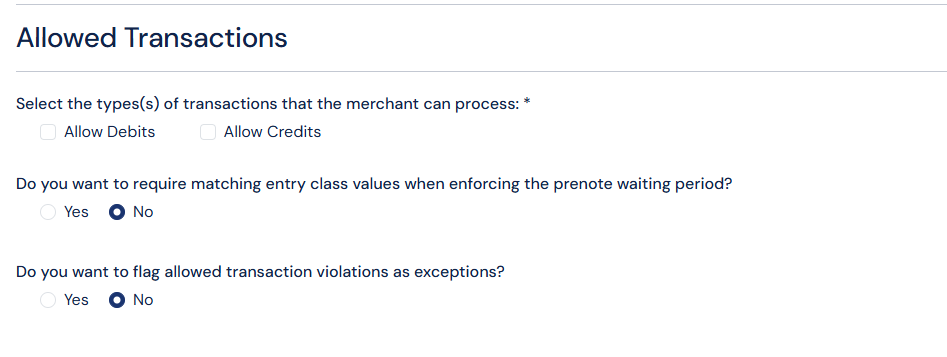
Screenshot: Allowed transaction violations flag in Merchant
This setting that determines how the system handles transactions that do not match their allowed transaction configuration.
When enabled:
Payments that violate allowed transaction rules are not blocked
Instead, they are created and flagged for review
When disabled:
Payments that violate allowed transaction rules result in a validation error
The payment is not created
What Triggers an Allowed Transaction Violation
A violation occurs when a payment is created with characteristics that the merchant has not explicitly enabled, including:
Debit or credit transactions that are not allowed
Same Day ACH when Same Day ACH is disabled
Entry class combinations outside the merchant’s permissions
Payment Behavior When a Violation Occurs
Payment creation when the violation-handling setting is enabled:
The payment is successfully created
The payment does not fail validation
The payment is placed into a Pending status with Transaction Violation Exception as the Pending Reason
Allowed Transaction Violation Grid
Violation Review Page
Allowed Transaction Violations appear in a dedicated grid used for reviewing transaction violation exceptions.
The Allowed Transaction Violation section is located in Risk > Exception Handling.
From this grid, users can:
View affected payments
Take action on each payment
Bulk approve or reject payments
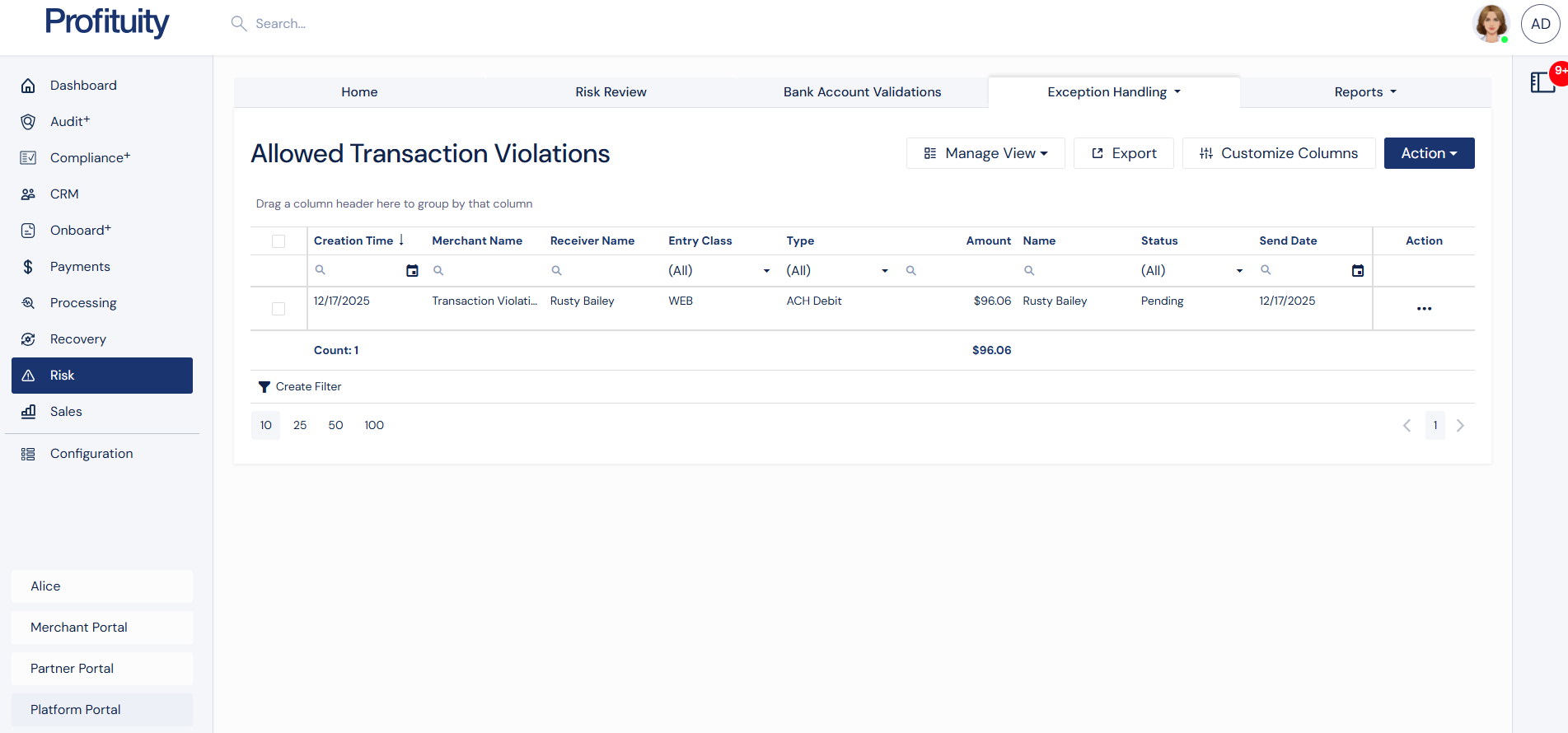
Screenshot: Allowed Transaction Violations Grid
Available Actions
For each violation, authorized users may:
Approve – Allows the payment to continue processing
Reject – Stops the payment from moving forward
Bulk Approve or Reject by selecting multiple payments at once
There is no automatic rejection; the decision is explicitly controlled by the user.
Approval Flow Behavior
When a violation is approved:
The payment resumes its normal processing lifecycle
The payment continues through all remaining risk and compliance checks
For example: OFAC, duplicate detection, and risk review
Approval does not bypass other safeguards
This ensures consistent enforcement across all risk controls.
Merchant Options
During the approval process, if the user has appropriate Merchant permissions, the user can opt to update the Merchant so the flagged transaction will always be allowed for the Merchant moving forward.
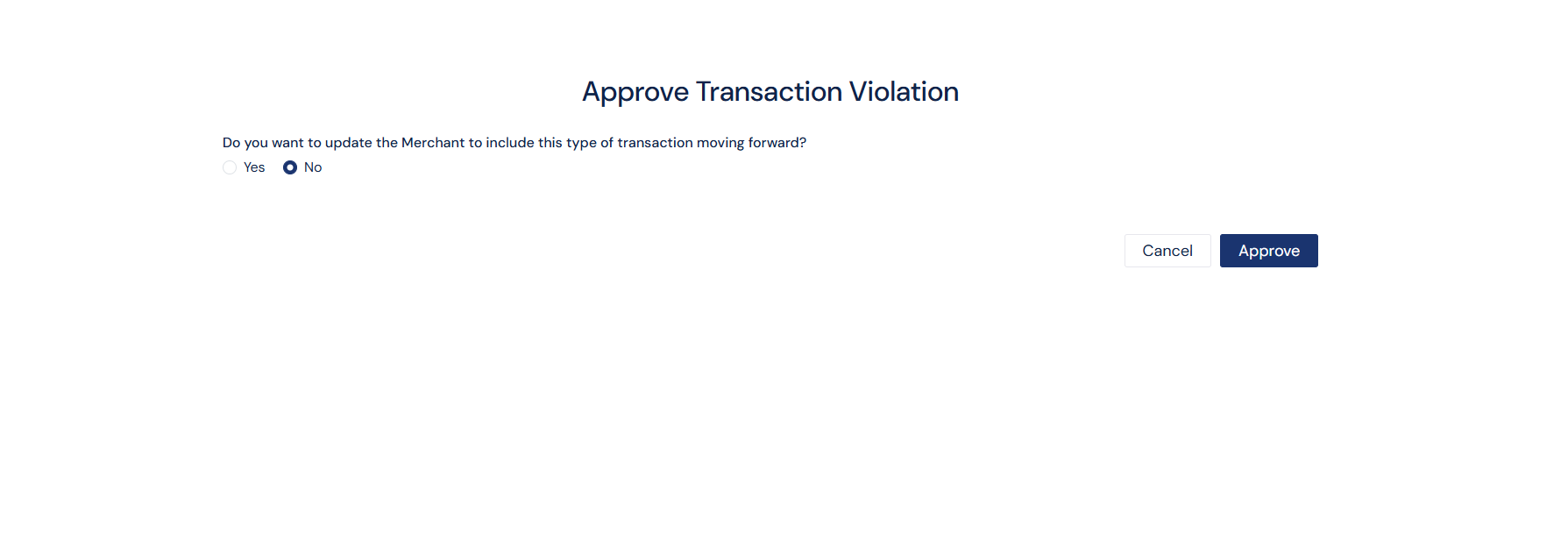
Screenshot: Approve Transaction Violation Modal