.png)
Return Posting
Overview
This feature introduces a global option that:
Disables automatic financial adjustments for returns
Creates return settlements in a manual, non-automated status - ReturnPosting
Provides a Return Posting Report to support manual return posting workflows
Prevents return-related settlements from entering downstream automated processing flows
Return Posting Mode
When enabled:
PlatformNext will not automatically create reversing ACH entries for returns
PlatformNext will create return-related settlements in a manual status (
ReturnPosting) and ensure return settlements are excluded from downstream automated processes.
When disabled:
PlatformNext retains its current automated return handling behavior
Settlements in the ReturnPosting status will:
Be excluded from origination file builds
Be excluded from automated posting
Rely on settlement status filtering to ensure no downstream automation is triggered
Return Posting Report
The Return Posting Report provides a list of return-related settlements that will not be automatically handled by the system.
It is designed to identify:
The account
The total amount
The return-related settlements included in the totals
The Return Posting Report is available within the Processing Module under reports.
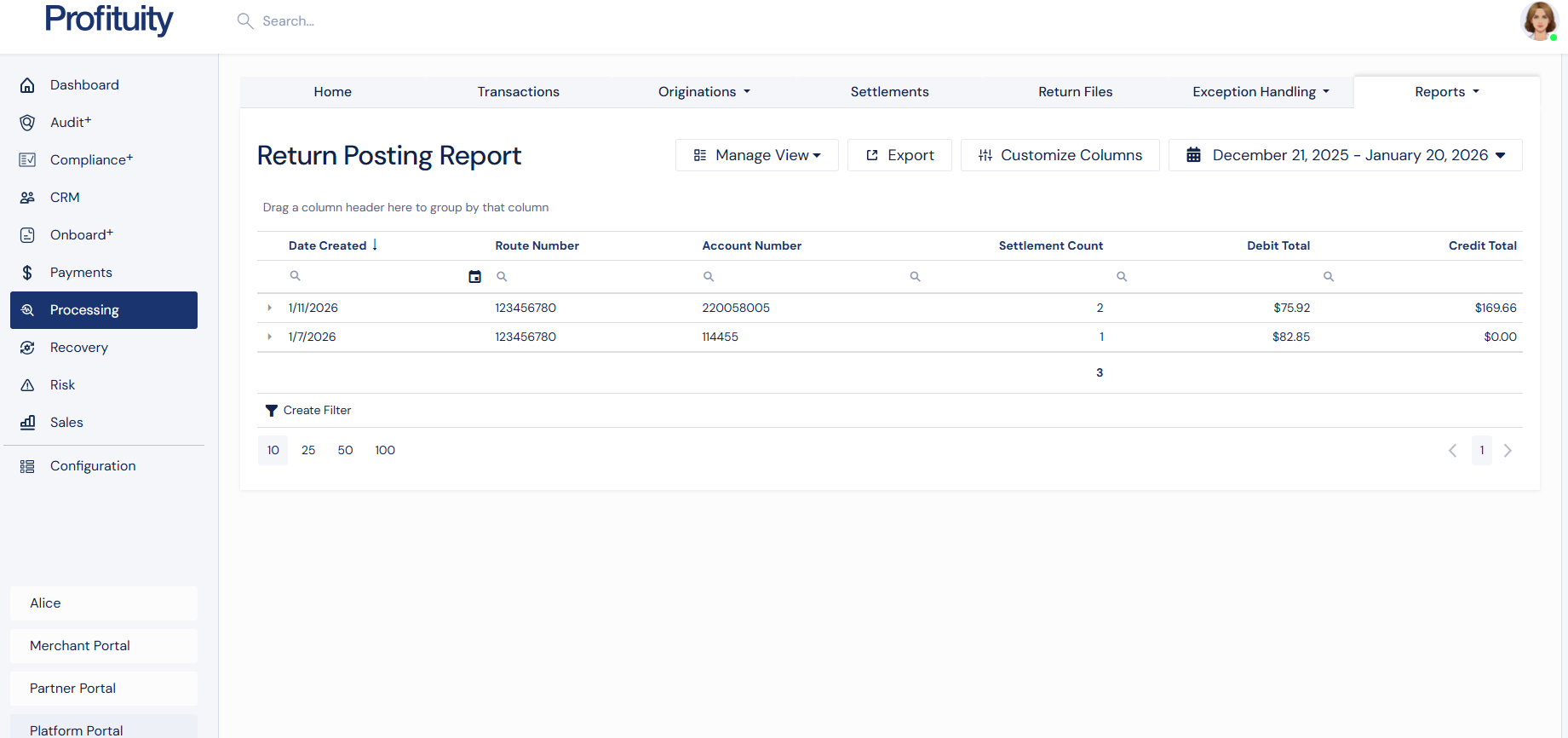
Screenshot: Return Posting Report
The Return Posting Report includes only settlements that are:
Return-related, and
In the return posting status:
ReturnPosting
FAQ
Does PlatformNext still track returns?
Yes. Returns are still recorded and tracked. This feature changes only the automated financial adjustment behavior when enabled.
Will return settlements be sent to the bank automatically in this mode?
No. Return settlements created with the return posting status will be excluded from downstream processing.