.png)
Payment Return Files
Overview
Payment return files allow your organization to export returned payment activity in either:
CSV format, or
NACHA format
These files can be generated on demand or automatically on a schedule, and delivered to a configured SFTP destination.
This feature is designed for teams who need to:
generate return files for originators (merchants) or processors
send formatted files to a secure external location (SFTP)
maintain reliable reconciliation even when trace numbers are regenerated
Enabling payment return files
When disabled
the payment return files UI is hidden
merchant and processor return file settings are ignored
When enabled
return file behavior is driven by merchant-level and/or processor-level settings
Configuring return file generation
Return file generation can be configured at both the merchant and processor level.
Available settings
Typical configuration includes:
enable/disable return file generation
select file format: CSV or NACHA
SFTP delivery configuration: select destination configuration
Payment return file naming convention
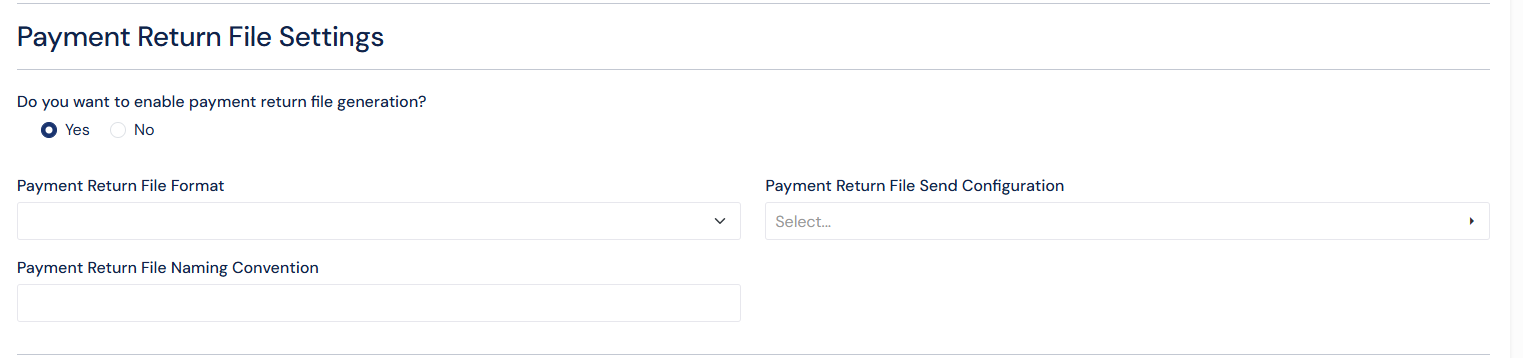
Screenshot: payment return file settings in merchant and processor
Payment Return Files
When enabled, a new area is available under Payments for working with return files.
Navigate to: Payments → Files → Payment Return Files
From this section you can:
view prior file runs
manually generate a return file
download the generated file
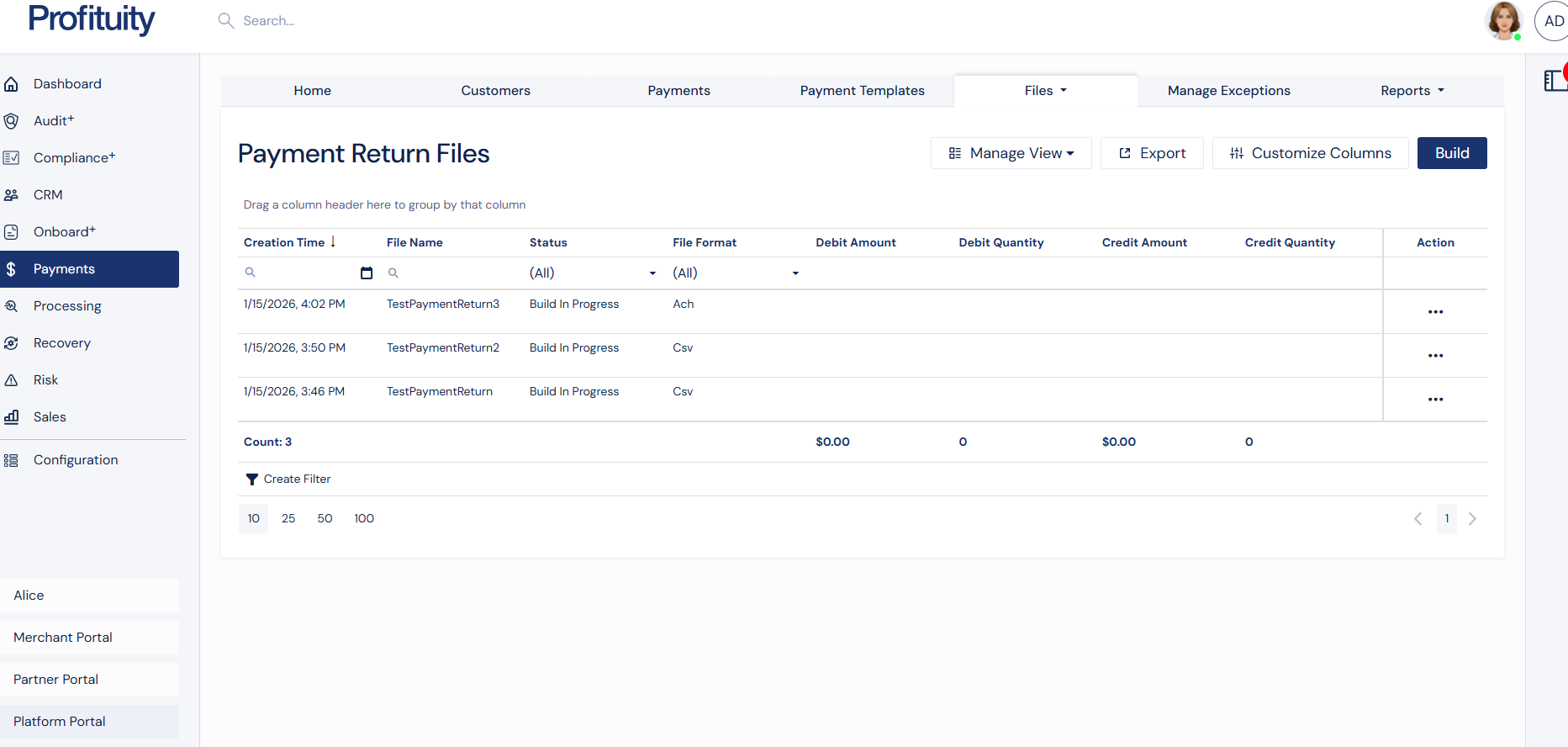
Screenshot: Payment Return Files
Generating a payment return file
Return files can be created in two ways.
Option A: Manual generation
A user can manually generate a return file from the Payment return files section.
Steps
Open Payments → Files → Payment return files
Select Build button in top right corner
After generation, the system will attempt delivery to SFTP if configured.
Option B: Scheduled generation
Payment return files can also be generated on a schedule using scheduled jobs which are set up in configuration.
What happens on a scheduled run
the system generates the file based on eligibility rules
delivery is attempted automatically if SFTP is configured
results are tracked in the payment return file section
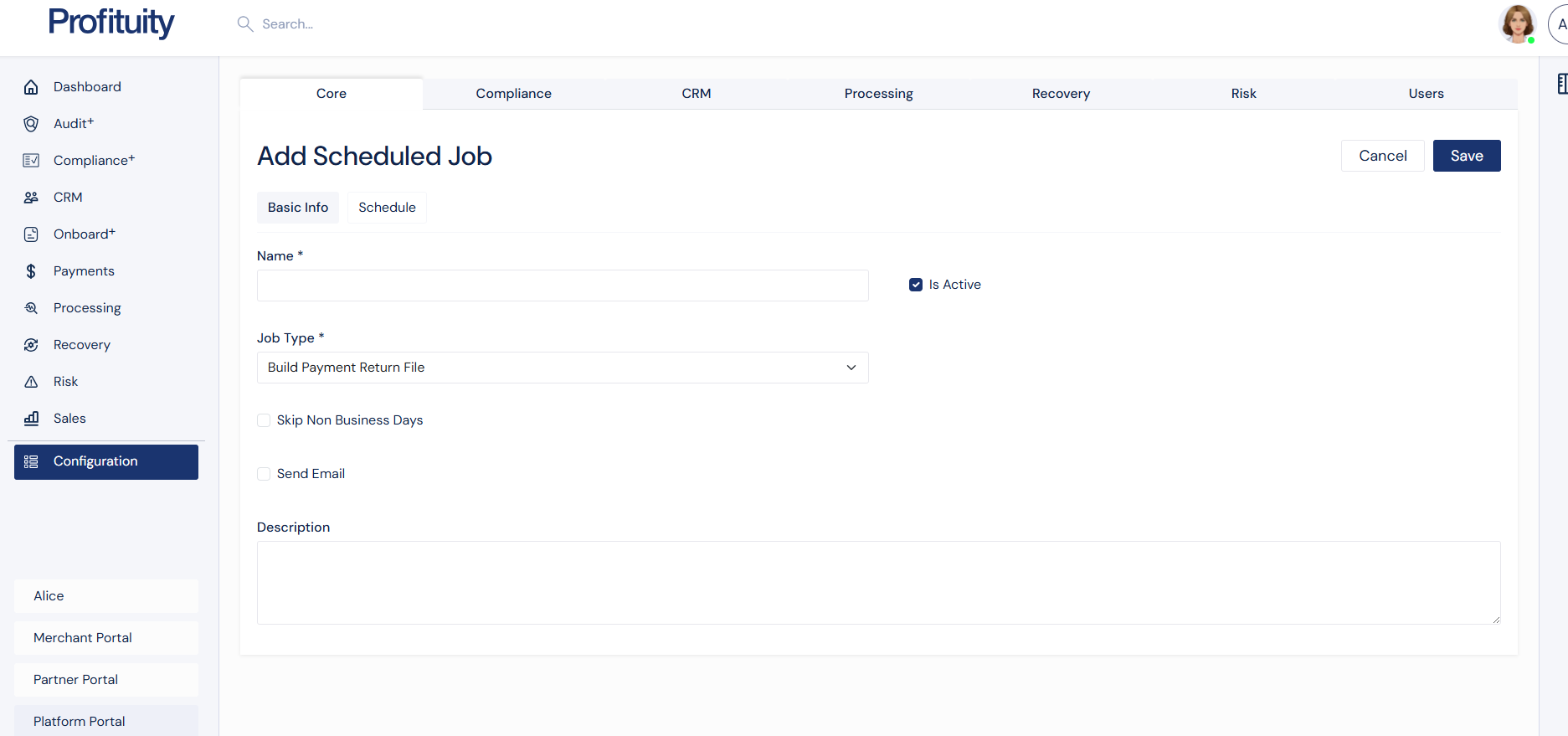
Screenshot: Add Build Payment Return File as a Scheduled Job
To ensure accuracy and avoid duplicate reporting, return files follow eligibility and de-duplication rules.
The system includes payment transactions that are marked as returned.
If generating for a processor
Include returns for payments under that processor.
If generating for a merchant/originator
Include returns for payments under that originator.
De-duplication (preventing duplicates)
The system prevents the same return from being included multiple times within the same scope.
It excludes items already included in prior files using:
the last run time, and
the return date on the transaction
SFTP delivery
What happens after file creation
After a return file is generated:
the system uploads the file to the configured SFTP destination
delivery status is recorded
Trace number preservation and mapping
Preserving original trace values
When returns are ingested from inbound NACHA files, the system stores:
the original trace number supplied by the partner/processor
identifiers needed to correlate the return back to the correct payment
Supporting regenerated traces
If trace numbers are regenerated:
the system maintains mapping between:
original trace number
related payment/return identifiers
FAQ
Can merchants and processors use different return file formats?
Yes. Each merchant and processor can independently choose whether return files are enabled and whether files generate as CSV or NACHA.
Will the system create duplicates across multiple runs?
No. The system excludes returns already included in previous runs for that scope, based on last run logic and return timestamps.
What happens if SFTP delivery fails?
The file generation will still complete, and delivery failures will be visible so the issue can be corrected and the file can be resent.