.png)
Merchant Settings
Users can manage Merchants in the CRM module. A merchant is an individual or organization that is utilizing one or more services offered.
Merchants have specialized settings and features that users can customize based on individual tenant features, including (but not limited to) the following:
Alternate Originator Names
If enabled, the Alternate Originator Names feature allows a single merchant to be associated with multiple acceptable originator names so that payment file imports can accurately identify the correct merchant even when naming varies by product line, business unit, or upstream system behavior. This reduces unnecessary suspensions or failures during file import while preserving existing merchant and transaction behavior.
In Merchant, under processing settings, if the Alternate Originator Names feature is enabled, there is an additional field called Alternate Originator Names where users can list other originator names the system will use to match incoming file imports.
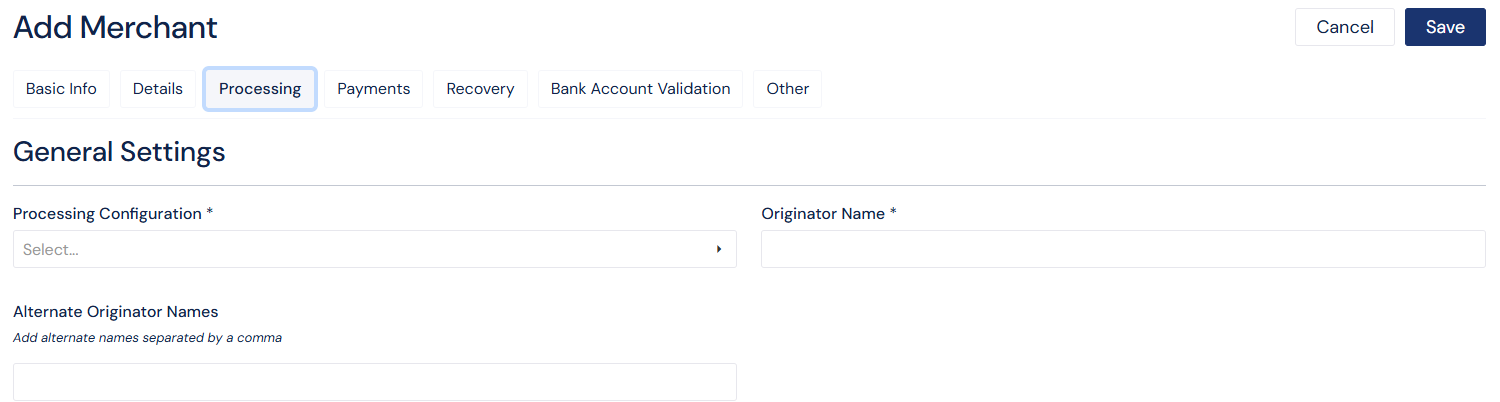
Screenshot: Alternate Originator Names setting on Merchant
SFTP Settings
SFTP settings enable PlatformNext to automatically detect, retrieve, and import payment files placed on configured SFTP locations by merchants or processors, without requiring user execution context or manual uploads.
In Merchant, under payment settings, users can enable automated payment file import via SFTP and payment file delivery via SFTP.
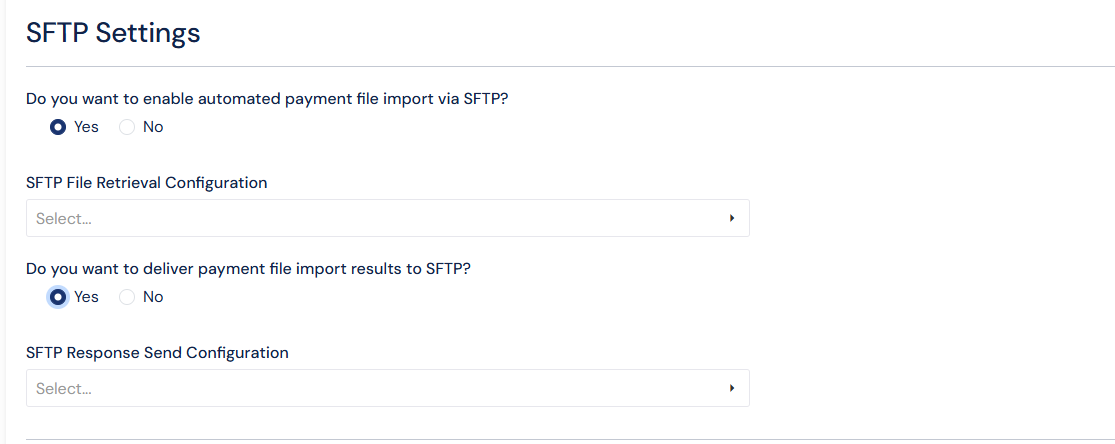
Screenshot: SFTP Settings in merchant
Unapproved Merchant Creation
If enabled, PlatformNext is allowed to successfully process payment files that reference unknown ACH originator names by automatically creating a temporary merchant record and marking it as Unapproved.
This prevents file import failures while enabling users to later review, complete, and approve the merchant profile.
After creation of an unapproved merchant, users must review the merchant for it to become an active, approved merchant.
Actions
Users can edit an unapproved merchant and complete all required fields. Once the merchant passes validation, it can be approved.
Users can merge an unapproved merchant into an existing merchant. The unapproved merchant name will then be listed on the existing merchant as an alternate originator name.
Users can reject an unapproved merchant. If an unapproved merchant is rejected, all associated payments will also be rejected with a reject reason of UnapprovedMerchant.
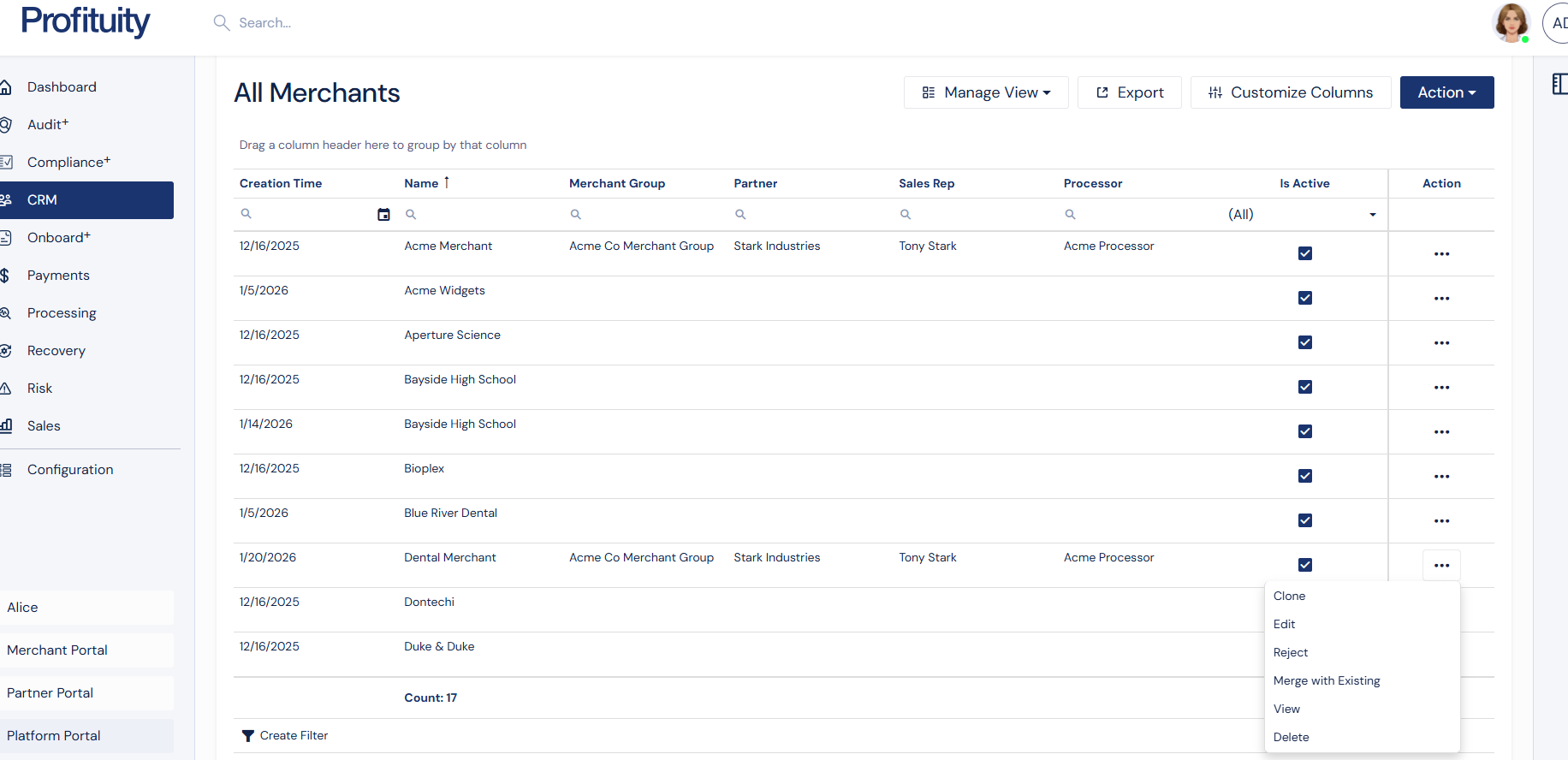
Screenshot: Merchant Grid with new actions for unapproved merchants